Transforming Businesses Through
AI Led Software Development
As a global technology and Microsoft Solutions Partner, Intelegain delivers next-generation digital transformation through custom software, AI-driven applications, and multi-cloud solutions
Talk to Our Experts AI-Native Development
 Cloud Solutions
 App Development





















AI-Powered Software Development, Dynamics 365 ERP, Scalable Cloud Services


Talk to our AI Agent
Explore our AI Playground - Chat with our agent to explore
Intelegain's solutions, case studies, etc.
Our Portfolio
We offer a comprehensive suite of services to build, modernize, and scale your digital products.
Manufacturing App
Heineken partnered with Intelegain to modernize operations by overcoming language barriers, ERP complexity, and multi-tenant management. The result a bilingual portal with Business Central and Dataverse, delivering seamless transactions, accurate routing, and scalable access for 1,000+ sub-distributors
Connect with our experts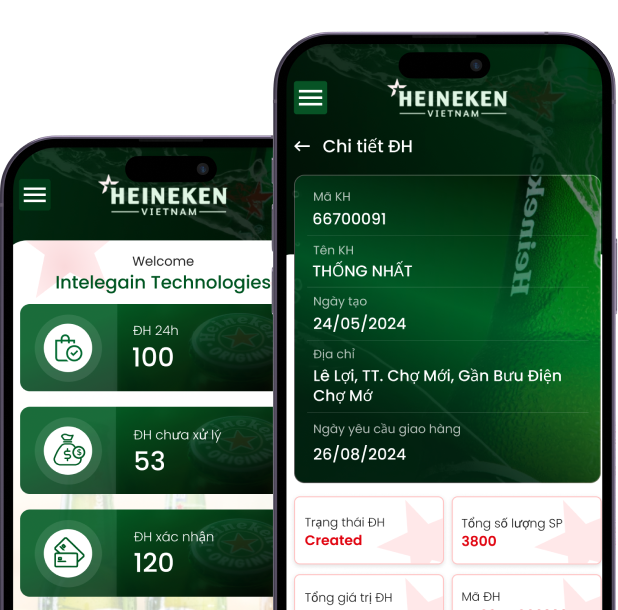





Logistics App
Intelegain collaborated with Liladhar Pasoo to digitize logistics operations across India, enabling real-time tracking, smarter route planning, and seamless cargo management. The solution enhances delivery speed, reduces costs, and supports expansion into integrated supply chain services.
Connect with our experts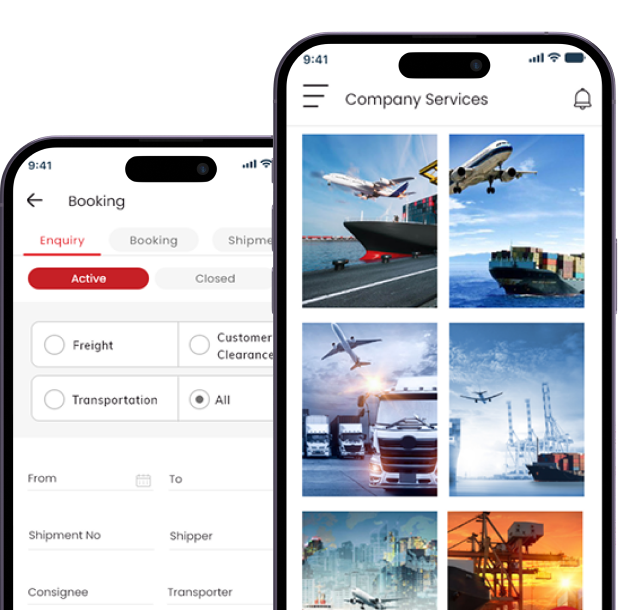




Banking & Finance App
Octave Holdings and Investments enhanced its investor onboarding process with an advanced agentic AI chatbot developed by Intelegain. The solution now manages over 85% of investor interactions, significantly reducing call volumes and improving conversion rates. This accelerates query resolution and elevates client satisfaction.
Connect with our experts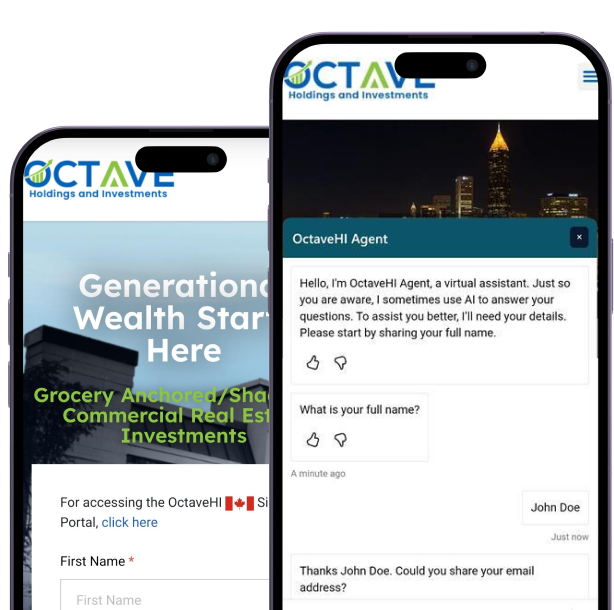





Wholesale & Distribution App
Polyflor integrated its customer portal with Business Central for real-time updates on orders, invoices, and inventory. The solution improved speed and clarity with tools for batch selection, fee calculation, and claims management.
Connect with our experts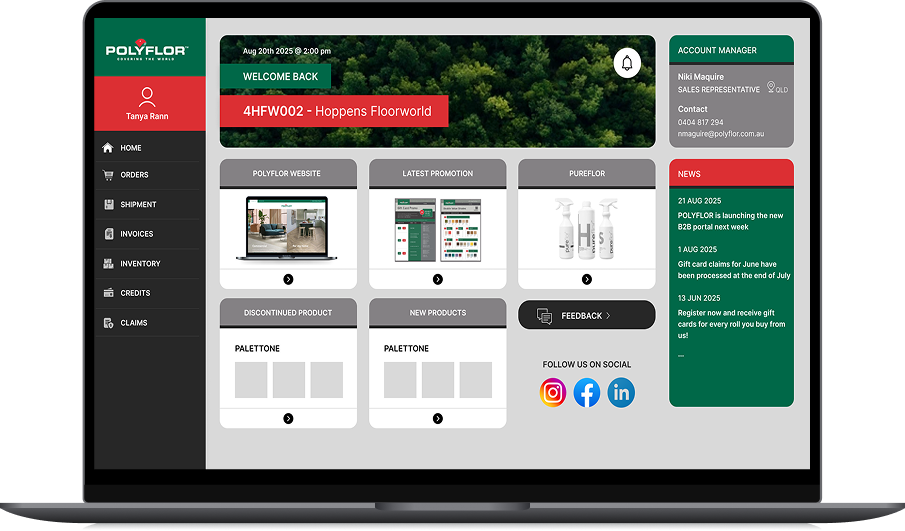



Pharmaceuticals
App
Clariness collaborated with Intelegain to improve sales and marketing using Dynamics 365. The solution enhanced lead tracking, campaign performance, and customer engagement. It empowered teams with clear data to drive faster growth.
Connect with our experts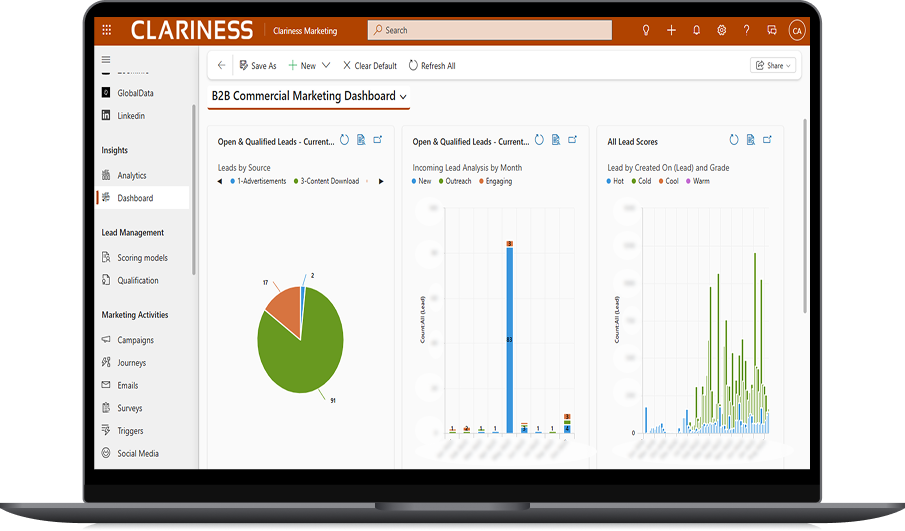





Food & Beverage App
Milagro teamed up with Intelegain to build a smart restaurant POS for the U.S. market. The system connects with SMARTCONNECT to simplify operations, improve guest retention, and support growth across its food and beverage services.
Connect with our experts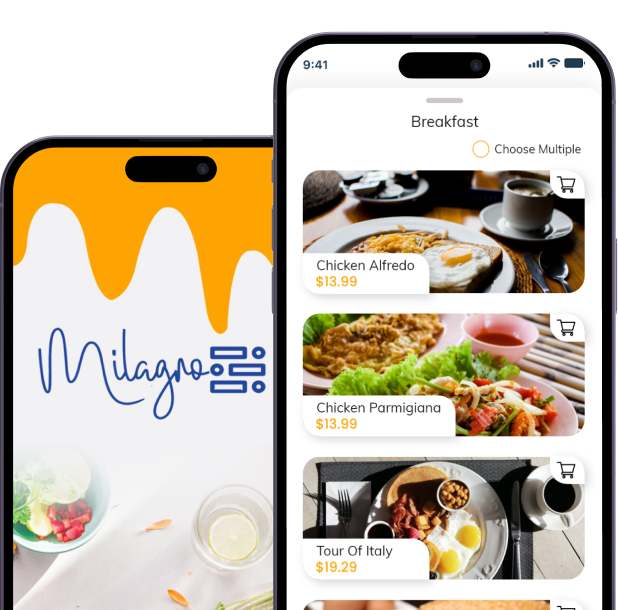






Manufacturing App
Heineken partnered with Intelegain to modernize operations by overcoming language barriers, ERP complexity, and multi-tenant management. The result a bilingual portal with Business Central and Dataverse, delivering seamless transactions, accurate routing, and scalable access for 1,000+ sub-distributors
Connect with our experts

Logistics App
Intelegain collaborated with Liladhar Pasoo to digitize logistics operations across India, enabling real-time tracking, smarter route planning, and seamless cargo management. The solution enhances delivery speed, reduces costs, and supports expansion into integrated supply chain services.
Connect with our experts

Banking & Finance App
Octave Holdings and Investments enhanced its investor onboarding process with an advanced agentic AI chatbot developed by Intelegain. The solution now manages over 85% of investor interactions, significantly reducing call volumes and improving conversion rates. This accelerates query resolution and elevates client satisfaction.
Connect with our experts

Wholesale & Distribution App
Polyflor integrated its customer portal with Business Central for real-time updates on orders, invoices, and inventory. The solution improved speed and clarity with tools for batch selection, fee calculation, and claims management.
Connect with our experts

Pharmaceuticals
App
Clariness collaborated with Intelegain to improve sales and marketing using Dynamics 365. The solution enhanced lead tracking, campaign performance, and customer engagement. It empowered teams with clear data to drive faster growth.
Connect with our experts

Food & Beverage App
Milagro teamed up with Intelegain to build a smart restaurant POS for the U.S. market. The system connects with SMARTCONNECT to simplify operations, improve guest retention, and support growth across its food and beverage services.
Connect with our experts
Intelegain Blogs
Discover IT Industry Insights. Technology Trends and opinions




Global Brands
From Early-age Startups to Medium and Large Enterprises trust Intelegain for shaping their
business needs through simplified technology solutions
































Awards & Recognition
01
Microsoft Gold P2P Award


01
Microsoft Gold P2P Award
Earns top recognition from Microsoft for outstanding partner collaboration and impact.
02
Microsoft Gold P2P Award
02
Microsoft Gold P2P Award
Microsoft recognises Intelegain as a leading partner-driven innovator across global markets.
03
CRN Excellence Award
03
CRN Excellence Award
CRN honours Intelegain for outstanding innovation and excellence in tech leadership.
04
SME Channels Award
04
SME Channels Award
Awarded for championing smart solutions among small business communities.
01
Microsoft Gold P2P Award
Earns top recognition from Microsoft for outstanding partner collaboration and impact.
02
Microsoft Gold P2P Award
Microsoft recognises Intelegain as a leading partner-driven innovator across global markets.
03
CRN Excellence Award
CRN honours Intelegain for outstanding innovation and excellence in tech leadership.
04
SME Channels Award
Awarded for championing smart solutions among small business communities.
Testimonials

We gained performance and automation. The team’s technical strength shone despite shifting needs and deadlines.
Digital Head
Haymarket Media

Intelegain optimized our warehouse with clarity and speed. Their responsive team delivered real operational impact.
Head of IT Projects
Wonderchef Home Appliances Pvt ltd
Intelegain delivers results with speed and structure. Their independent, solution-driven approach consistently stands out.
Commercial Lead
Clariness GmbH

Seamless MetaTrader 5 integration with a clean interface. The focused team delivered every milestone efficiently.
Senior System Administrator
VCG Markets
The team’s expertise and energy delivered tailored solutions. Their versatility impressed us across time zones.
Chief Growth Officer
Shortline Moving Solutions
Intelegain's exceptional responsiveness and licensing expertise kept our digital initiatives moving forward seamlessly.
Senior IT Manager Group
BECIS
Quick responses and proactive support made our Business Central journey smooth with Intelegain.
Managing Director
Silver Spirits
Our manual processes evolved into efficient digital operations thanks to Intelegain’s automation and agile approach.
Head of Centre
Singapore College of TCM
Help is always just a call away. Intelegain’s team stays responsive, proactive, and dependable even beyond office hours.
Head HR
AyushPay

Digital Head
Haymarket Media
We gained performance and automation. The team’s technical strength shone despite shifting needs and deadlines.

Head of IT Projects
Wonderchef Home Appliances Pvt ltd
Intelegain optimized our warehouse with clarity and speed. Their responsive team delivered real operational impact.

Commercial Lead
Clariness GmbH
Intelegain delivers results with speed and structure. Their independent, solution-driven approach consistently stands out.

Senior System Administrator
VCG Markets
Seamless MetaTrader 5 integration with a clean interface. The focused team delivered every milestone efficiently.
Chief Growth Officer
Shortline Moving Solutions
The team’s expertise and energy delivered tailored solutions. Their versatility impressed us across time zones.
Senior IT Manager Group
BECIS
Intelegain's exceptional responsiveness and licensing expertise kept our digital initiatives moving forward seamlessly.
Managing Director
Silver Spirits
Quick responses and proactive support made our Business Central journey smooth with Intelegain.
Head of Centre
Singapore College of TCM
Our manual processes evolved into efficient digital operations thanks to Intelegain’s automation and agile approach.
Head HR
AyushPay
Help is always just a call away. Intelegain’s team stays responsive, proactive, and dependable even beyond office hours.
Need the Right Technology Partner?
Trusted by global businesses for AI, cloud, and enterprise software solutions.


We endeavor to delight customers through quality, performance and innovation, employing best-of-breed practices and technical wisdom to not only deliver “best-fit customized solutions and support” but also a complete collaborative business experience.


© 2026-2027 Intelegain Technologies

© 2026-2027
Intelegain Technologies

